
What is Thermal Paste? Thermal Paste Price in Nepal 2026

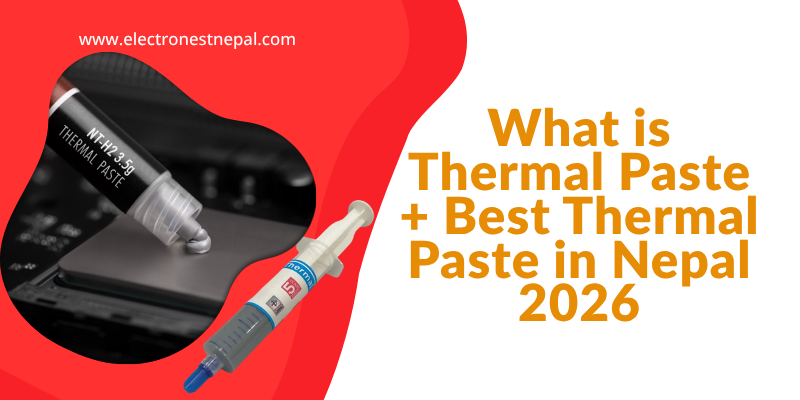
If you have ever built a PC, upgraded a CPU cooler, or noticed your laptop running unusually hot, you have probably come across the term thermal paste. Finding the right thermal paste price in Nepal and choosing the correct product for your build, however, is where most people get stuck. With budget options starting under NPR 500. And premium tubes going well beyond NPR 2,000, there is a wide range to navigate in 2026.
This guide explains what thermal paste is, why it matters for your CPU and GPU, and which products represent the best thermal paste in Nepal at every price range. Whether you are building a new PC, replacing a cooler, or re-pasting an overheating laptop, this guide has everything you need to make the right choice.
What is Thermal Paste?
Thermal paste, also known as thermal compound, thermal grease, or CPU paste, is a heat-conducting material applied between a processor and its heatsink or cooler. Its job is to fill in the microscopic gaps and imperfections that exist on both surfaces, which, if left unfilled, would trap air and dramatically reduce heat transfer.
Why Those Microscopic Gaps Matter
Even surfaces that appear perfectly flat to the naked eye are, at a microscopic level, covered in tiny ridges and valleys. When a heatsink sits directly on a CPU without any thermal paste, those gaps fill with air instead. Since air is a very poor conductor of heat, the result is that heat from the processor cannot escape efficiently into the cooler. Over time, this leads to higher CPU temperatures, thermal throttling, and in extreme cases, hardware damage.
Thermal paste solves this problem by filling those gaps with a material that conducts heat significantly better than air. As a result, heat transfers from the processor to the cooler much more efficiently, which lowers temperatures and helps the system maintain stable performance under load.
Where is Thermal Paste Applied?
The most common application is between the CPU and its cooler. However, thermal paste is also used on GPUs between the die and the heatsink, on laptop chips during repasting, and on other heat-generating components such as chipsets and VRMs on high-end motherboards. In all these cases, the principle is the same: fill the gap, transfer the heat.
How Often Should You Replace Thermal Paste?
Most quality thermal pastes last between three and five years under normal use before they begin to dry out and lose effectiveness. For high-performance gaming PCs and overclocked systems, checking and replacing thermal paste every two to three years is a good practice. For laptops, which often use lower-quality stock paste applied at the factory, replacing the paste every two years can make a noticeable difference to temperatures and fan noise.
Types of Thermal Paste Available in Nepal
Before looking at specific products and thermal paste prices in Nepal, it helps to understand the main categories of thermal paste on the market.
Silicone-Based Paste
This is the most common and affordable type. Silicone-based pastes are non-conductive, easy to apply, and widely available across IT shops in Kathmandu. Most budget and mid-range options in Nepal fall into this category. They are a safe choice for everyday builds and do not risk damaging surrounding components if overapplied.
Metal Oxide or Ceramic-Based Paste
Mid-range and premium pastes typically use metal oxide compounds such as zinc oxide or aluminium oxide. These materials offer higher thermal conductivity than basic silicone pastes, which translates to better heat transfer performance. Brands like Arctic, Noctua, and Thermal Grizzly use variations of this technology in their popular product lines. Importantly, these pastes are also non-conductive, so there is no risk of short-circuits.
Liquid Metal Paste
Liquid metal thermal compounds, such as Thermal Grizzly Conductonaut, use a gallium-based alloy and offer dramatically higher thermal conductivity than any conventional paste. Performance gains can be significant, particularly on laptop CPUs. However, liquid metal is electrically conductive, which means a single overapplication can permanently damage a motherboard or GPU. It is also corrosive to aluminium surfaces, so it should only be used with nickel-plated or copper coolers. For this reason, liquid metal is generally recommended only for experienced builders who understand the risks.
Thermal Paste Price in Nepal 2026: Quick Price Overview
The following table summarises the most commonly available thermal pastes in Nepal and their approximate prices as of March 2026:
| Thermal Paste | Type | Conductivity | Weight | Thermal Paste Price Nepal | Best For |
|---|---|---|---|---|---|
| darkFlash DP7 (budget) | Silicone-based | Not rated | 1g | NPR 400 – 700 | Budget builds, first-time users |
| Cooler Master MasterGel Regular | Silicone-based | 5 W/mK | 1.5g | NPR 500 – 800 | Casual home and office PCs |
| ALSEYE T9+ | Carbon micro-particle | 13 W/mK | 1g | NPR 600 – 900 | Mid-range gaming builds |
| Cooler Master MasterGel Pro | Polymer oxide | 8.5 W/mK | 1.5g | NPR 800 – 1,200 | Enthusiast home builds |
| Corsair TM30 | Zinc oxide | 3.8 W/mK | 3.5g | NPR 1,000 – 1,500 | Mid-range builds, good quantity |
| Noctua NT-H1 | Hybrid metal oxide | Not disclosed | 3.5g | NPR 1,200 – 1,800 | Enthusiast builds, long-term use |
| Arctic MX-4 | Carbon micro-particle | 8.5 W/mK | 4g | NPR 1,200 – 1,800 | Best value, gaming and workstations |
| Thermal Grizzly Kryonaut | Ceramic (silicone-free) | 12.5 W/mK | 1g | NPR 1,300 – 1,800 | Overclockers, high-performance builds |
| Thermal Grizzly Kryonaut Extreme | Advanced ceramic | 14.2 W/mK | 2g | NPR 2,500 – 3,500 | Extreme overclocking, premium builds |
| Thermal Grizzly Conductonaut | Liquid metal (Gallium) | 73 W/mK | 1g | NPR 2,500 – 4,000 | Advanced users, laptop repasting |
Prices are approximate as of March 2026. Always verify current thermal paste price in Nepal at your preferred retailer before purchasing.
Best Thermal Paste in Nepal 2026: Detailed Picks by Budget
Rather than simply listing products, the picks below are organised by use case and budget so that you can match the right paste to your actual needs.
1. darkFlash DP7: Best Budget Thermal Paste in Nepal
Thermal Paste Price Nepal: NPR 400 – 700
For first-time PC builders and casual users in Nepal who simply need a functional paste to get their system running, the darkFlash DP7 is the most accessible option currently available. It comes in small quantities at a low price, making it a practical starting point. While it does not match the thermal performance of mid-range or premium options, it is nevertheless a reliable choice for standard home builds that do not involve overclocking or sustained heavy loads.
- Type: Silicone-based
- Best for: Budget builds, office PCs, first-time builders
- Not ideal for: Gaming PCs, overclocked systems
2. Cooler Master MasterGel Regular: Best Entry-Level Brand Paste in Nepal
Thermal Paste Price Nepal: NPR 500 – 800
The Cooler Master MasterGel Regular is a well-known and widely available option across IT shops in Kathmandu. With a thermal conductivity of 5 W/mK and an operating range of -50 to 150 degrees Celsius, it handles standard home and office workloads without any issues. Its precision applicator makes it particularly easy to use for those who have not applied thermal paste before. In addition, Cooler Master’s brand presence in Nepal means spare stock and replacements are easy to find.
- Type: Silicone-based
- Conductivity: 5 W/mK
- Best for: Home PCs, office workstations, casual gaming
- Not ideal for: High-performance gaming or overclocking
3. ALSEYE T9+: Best Mid-Range Thermal Paste in Nepal
Thermal Paste Price Nepal: NPR 600 – 900
The ALSEYE T9+ stands out in the mid-range segment in Nepal thanks to its high advertised thermal conductivity of 13 W/mK, which is competitive even with some premium pastes. It uses carbon micro-particles as its base, offers low thermal resistance, and is non-conductive, making it safe for all builds. For gaming PCs in the NPR 80,000 to NPR 1,50,000 range where temperatures under load matter, the T9+ offers genuine performance at a reasonable price.
- Type: Carbon micro-particle
- Conductivity: 13 W/mK
- Best for: Mid-range gaming PCs, CPU cooler upgrades
- Not ideal for: Extreme overclocking or liquid cooling setups
4. Arctic MX-4: Best Value Thermal Paste in Nepal
Thermal Paste Price Nepal: NPR 1,200 – 1,800
The Arctic MX-4 is one of the most recommended thermal pastes worldwide, and for good reason. It uses carbon micro-particles for a thermal conductivity of 8.5 W/mK, spreads easily during application, requires no curing time, and is completely non-conductive. Crucially, its longevity is exceptional, with Arctic claiming the MX-4 lasts up to eight years without significant degradation. For most gaming PC builders and enthusiast users in Nepal, the MX-4 represents the best balance of performance, safety, ease of application, and long-term value at its thermal paste price in Nepal.
- Type: Carbon micro-particle
- Conductivity: 8.5 W/mK
- Longevity: Up to 8 years
- Best for: Gaming builds, workstations, DIY enthusiasts
- Not ideal for: Extreme overclocking requiring absolute maximum performance
5. Noctua NT-H1: Best Long-Term Enthusiast Paste in Nepal
Thermal Paste Price Nepal: NPR 1,200 – 1,800
Noctua’s NT-H1 has earned over 150 awards and recommendations from international hardware publications, and it remains one of the most trusted thermal pastes available in Nepal. Its hybrid metal oxide formula delivers excellent thermal performance that is competitive with the Thermal Grizzly Kryonaut in most real-world applications, while being significantly easier to apply and clean. A 3.5g tube provides enough paste for multiple applications, covering around 10 to 20 uses depending on CPU size, making it exceptional value per application. Furthermore, it is rated for up to five years of usage on the CPU once applied.
- Type: Hybrid metal oxide
- Longevity: Up to 5 years on CPU
- Best for: Enthusiast builds, Noctua cooler owners, long-term reliability
- Not ideal for: Extreme liquid nitrogen overclocking
6. Thermal Grizzly Kryonaut: Best Performance Thermal Paste in Nepal
Thermal Paste Price Nepal: NPR 1,300 – 1,800
The Thermal Grizzly Kryonaut is the go-to paste for overclockers and performance-focused builders in Nepal. With a thermal conductivity of 12.5 W/mK using a silicone-free ceramic formula, it consistently delivers some of the lowest CPU temperatures available from any non-liquid-metal paste. It is particularly well regarded for use with high-TDP processors like Intel Core i7 and i9 chips as well as AMD Ryzen 9 series CPUs, where even small temperature reductions translate into better sustained boost performance and lower fan noise.
One consideration worth noting is that the Kryonaut is sold in a 1g tube in Nepal, which provides enough paste for roughly four to five standard applications. At its thermal paste price in Nepal, it offers excellent performance but a smaller quantity than alternatives like the NT-H1 or MX-4.
- Type: Silicone-free ceramic
- Conductivity: 12.5 W/mK
- Best for: Overclockers, high-TDP builds, serious PC enthusiasts
- Not ideal for: Casual users who do not need maximum performance
7. Thermal Grizzly Kryonaut Extreme: Best Premium Thermal Paste in Nepal
Thermal Paste Price Nepal: NPR 2,500 – 3,500
The Kryonaut Extreme pushes thermal conductivity to 14.2 W/mK, making it one of the highest-rated non-liquid-metal pastes available in Nepal. It is intended for extreme overclocking scenarios and premium liquid cooling setups where every degree matters. For a standard gaming PC, the performance difference over the regular Kryonaut will be minimal. However, for enthusiasts running high-end processors at the limits of their thermal envelopes, the Kryonaut Extreme is the best conventional paste money can buy in Nepal right now.
- Type: Advanced ceramic
- Conductivity: 14.2 W/mK
- Best for: Extreme overclocking, premium liquid cooling systems
- Not ideal for: Everyday gaming builds where the price premium is not justified
8. Thermal Grizzly Conductonaut: Best Liquid Metal Paste in Nepal
Thermal Paste Price Nepal: NPR 2,500 – 4,000
The Thermal Grizzly Conductonaut is in a completely different category from all the other pastes on this list. Its gallium-based liquid metal formula achieves a thermal conductivity of 73 W/mK, which is dramatically higher than any conventional paste. In practice, this can reduce CPU temperatures by 10 to 20 degrees compared to standard pastes, particularly on laptop chips where the die-to-heatsink interface is very tight.
However, the Conductonaut requires a high level of care during application. Because it is electrically conductive, any contact with nearby components or the motherboard PCB can cause permanent damage. It is also corrosive to aluminium, so it must only be used with nickel-plated or copper-based cooler surfaces. For these reasons, this paste is strictly recommended for experienced PC builders who understand the risks involved.
- Type: Liquid metal (Gallium alloy)
- Conductivity: 73 W/mK
- Best for: Laptop repasting, extreme builds with nickel-plated coolers
- Not ideal for: Beginners, aluminium coolers, or any situation where overspill is a risk
How to Apply Thermal Paste: Step-by-Step Guide
Applying thermal paste correctly is just as important as choosing the right product. Too much paste causes it to spill over the edges of the CPU and potentially onto the socket. Too little paste, on the other hand, leaves gaps that reduce heat transfer. The following steps work reliably for most conventional pastes including the Arctic MX-4, Noctua NT-H1, and Thermal Grizzly Kryonaut.
What You Need Before You Start
- Your chosen thermal paste
- Isopropyl alcohol (70% or above) for cleaning old paste
- Lint-free cloth, cotton swabs, or microfibre cloth
- Clean, dry hands or latex gloves
Step 1: Clean the Surfaces
Before applying new paste, remove all traces of old thermal paste from both the CPU heat spreader and the cooler base. Apply a small amount of isopropyl alcohol to a lint-free cloth and wipe the surface in one direction rather than in circles, to avoid spreading residue around. Allow both surfaces to dry completely before proceeding.
Step 2: Apply the Paste
For most standard desktop CPUs, the pea or dot method works best. Place a small amount of paste, roughly the size of a grain of rice or a small pea, directly in the centre of the CPU heat spreader. Do not spread it manually, as the pressure from mounting the cooler will distribute the paste naturally. For larger desktop CPUs such as AMD Threadripper or Intel Extreme Edition chips, an X-pattern or cross method helps ensure better coverage across the larger surface area.
Step 3: Mount the Cooler
Place the cooler directly onto the CPU without sliding it sideways, as sliding would spread the paste unevenly. Apply firm, even pressure as you secure the cooler with its mounting screws. Tighten the screws in a diagonal pattern, meaning tighten one screw partially, then move to the opposite corner, and repeat, rather than fully tightening one screw at a time. This ensures even pressure distribution across the CPU surface.
Step 4: Check Your Temperatures
After mounting the cooler, boot your system and monitor CPU temperatures using a tool such as HWMonitor, Core Temp, or HWiNFO. Under idle conditions, temperatures should be in the range of 30 to 45 degrees Celsius depending on your ambient temperature and cooler quality. Under a full stress test, most modern coolers should keep temperatures below 90 degrees Celsius on high-TDP CPUs and well below 80 degrees on standard gaming processors.
Buy the best motherboards at Electronest Nepal.
A Note on Liquid Metal Application
If you are applying Thermal Grizzly Conductonaut or any other liquid metal paste, the process is more demanding. You will need to mask off the area around the CPU with electrical tape to prevent any spill from reaching the socket or surrounding components. Apply the liquid metal using the included brush in a very thin, even layer. Because the paste is conductive, accuracy is critical. If you are not confident in your technique, practice on a spare cooler before applying it to your actual build.
Frequently Asked Questions
What is thermal paste and why do I need it?
Thermal paste is a heat-conducting compound applied between a CPU or GPU and its cooler. It fills microscopic imperfections on both surfaces that would otherwise trap air, which is a poor heat conductor. Without thermal paste, your processor would run significantly hotter, reducing performance and potentially shortening its lifespan. Every new CPU cooler installation in Nepal, whether for a new build or an upgrade, requires fresh thermal paste.
What is the thermal paste price in Nepal in 2026?
The thermal paste price in Nepal ranges widely depending on the brand and type. Budget options such as the darkFlash DP7 start at around NPR 400 to 700. Mid-range options like the ALSEYE T9+ and Cooler Master MasterGel Pro are priced between NPR 600 and 1,200. Premium options including the Arctic MX-4, Noctua NT-H1, and Thermal Grizzly Kryonaut fall in the NPR 1,200 to 1,800 range. The Thermal Grizzly Kryonaut Extreme and Conductonaut are available at NPR 2,500 and above.
Which is the best thermal paste in Nepal for gaming?
For most gaming builds in Nepal, the Arctic MX-4 represents the best overall choice. It delivers strong thermal performance, lasts up to eight years, is completely non-conductive, and is easy to apply. For enthusiasts who want slightly better performance and are running high-TDP CPUs, the Thermal Grizzly Kryonaut is the top conventional paste available in Nepal. Both are available at IT shops in Kathmandu at competitive thermal paste prices in Nepal.
How much thermal paste should I apply to a CPU?
A small amount roughly the size of a grain of rice or a small pea placed in the centre of the CPU is sufficient for most desktop processors. The pressure from mounting the cooler spreads it naturally across the surface. Applying too much thermal paste does not improve performance and can cause the paste to overflow onto the CPU socket or surrounding components.
How often should I replace thermal paste in Nepal?
For desktop PCs, replacing thermal paste every three to five years is generally sufficient with quality pastes like Arctic MX-4 or Noctua NT-H1. For laptops, which often use lower-quality factory paste, replacing it every two years can noticeably reduce temperatures and fan noise. If you notice your CPU running significantly hotter than usual without any other explanation, replacing the thermal paste is one of the first maintenance steps to try.
Is Thermal Grizzly Kryonaut worth the price in Nepal?
For standard gaming builds, the performance advantage of the Kryonaut over the Arctic MX-4 or Noctua NT-H1 is typically between one and three degrees Celsius. At its current thermal paste price in Nepal, it is worth considering if you have a high-end build with a power-hungry processor and a quality cooling setup. For mid-range builds, the MX-4 or NT-H1 deliver near-identical real-world results at a better value per gram.
Can I use liquid metal thermal paste on my laptop in Nepal?
Yes, but only if you are experienced with the process. Liquid metal pastes like the Thermal Grizzly Conductonaut can reduce laptop CPU temperatures by a significant margin, often 10 to 20 degrees. However, the paste is electrically conductive and must be applied with great care to avoid contact with surrounding components. If your laptop cooler has aluminium contact surfaces, liquid metal should not be used as it reacts with aluminium and causes corrosion. Always research your specific laptop model before proceeding.
Where can I buy thermal paste in Nepal?
Thermal paste is widely available at IT hardware shops in New Road, Kathmandu, as well as online stores that deliver across Nepal. Electronest Nepal stocks a range of thermal paste options across all price points, from budget silicone-based pastes to premium Thermal Grizzly products, with genuine products and delivery within Kathmandu Valley.
Final Verdict: Which Thermal Paste Should You Buy in Nepal?
Choosing the right thermal paste in Nepal comes down to your build type, budget, and experience level. To summarise the recommendations:
- Budget builds and first-time builders: darkFlash DP7 or Cooler Master MasterGel Regular at NPR 400 to 800. Functional, safe, and easy to find across Kathmandu.
- Mid-range gaming PCs: ALSEYE T9+ at NPR 600 to 900. Strong thermal conductivity at an accessible thermal paste price in Nepal.
- Best overall value for gaming and enthusiast builds: Arctic MX-4 at NPR 1,200 to 1,800. Excellent performance, exceptional longevity, and easy application make this the most recommended paste for most buyers in Nepal.
- Long-term reliability and multiple applications: Noctua NT-H1 at NPR 1,200 to 1,800. A 3.5g tube covers 10 to 20 applications and lasts five years on the CPU.
- Overclocking and high-performance builds: Thermal Grizzly Kryonaut at NPR 1,300 to 1,800 for the best non-liquid-metal performance available in Nepal.
- Extreme builds and laptop repasting (advanced users only): Thermal Grizzly Conductonaut at NPR 2,500 to 4,000 for unmatched thermal performance where the risks are understood and managed.
All of the thermal pastes listed in this guide are available at Electronest Nepal. If you are unsure which option is right for your specific build, visit the store or message on Instagram for a recommendation before purchasing.
Prices are indicative as of March 2026. Verify the current thermal paste price in Nepal with the store before purchase.
Follow us on: Instagram